> ## Documentation Index
> Fetch the complete documentation index at: https://docs.gpuhub.com/llms.txt
> Use this file to discover all available pages before exploring further.
# SSH Tunnel
> SSH tunneling can proxy a port of the instance to your local machine, or proxy a local port to the instance.
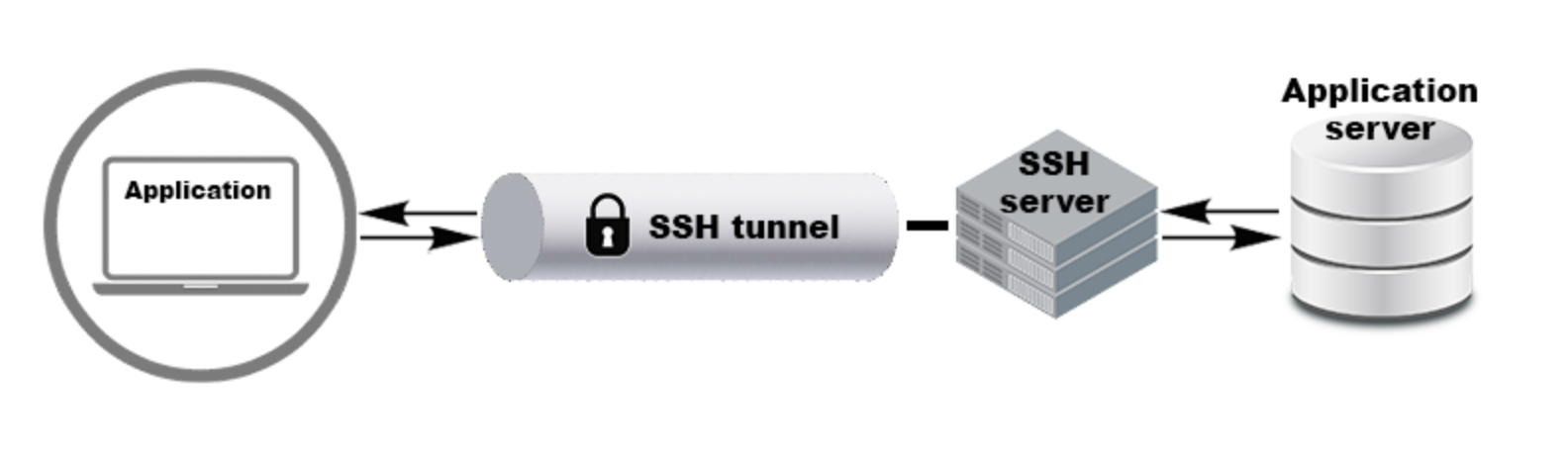 Windows Users: You can log in using the built-in PowerShell/CMD. For a better terminal experience, it is recommended to download and use the [Cmder](https://cmder.app/) tool, which is ready to use without installation after extraction. Alternatively, the [XShell](https://www.xshell.com/en/free-for-home-school/) tool is an even better option.
## SSH Proxy Command
Start your service on the instance (for example, if your service is listening on port 6006, use 6006 as an example below).
Execute the proxy command in the terminal on your local computer (cmd/powershell/terminal, etc.):
```bash bash theme={null}
ssh -CNg -L 6006:127.0.0.1:6006 root@123.125.240.150 -p 42151
```
Replace `root@123.125.240.150` and `42151` with the access address and port of the SSH command for your instance, respectively. `6006:127.0.0.1:6006` means proxying port `6006` inside the instance to port `6006` on your local machine.
It is normal to see no logs after executing this SSH command, as long as it does not prompt you to re-enter your password or exit with an error.
If you are using cmd/powershell on Windows and are repeatedly prompted for a password error, it may be due to an issue with pasting the password. Try entering the password manually (the password will not be displayed as you type it, which is normal).
Windows Users: You can log in using the built-in PowerShell/CMD. For a better terminal experience, it is recommended to download and use the [Cmder](https://cmder.app/) tool, which is ready to use without installation after extraction. Alternatively, the [XShell](https://www.xshell.com/en/free-for-home-school/) tool is an even better option.
## SSH Proxy Command
Start your service on the instance (for example, if your service is listening on port 6006, use 6006 as an example below).
Execute the proxy command in the terminal on your local computer (cmd/powershell/terminal, etc.):
```bash bash theme={null}
ssh -CNg -L 6006:127.0.0.1:6006 root@123.125.240.150 -p 42151
```
Replace `root@123.125.240.150` and `42151` with the access address and port of the SSH command for your instance, respectively. `6006:127.0.0.1:6006` means proxying port `6006` inside the instance to port `6006` on your local machine.
It is normal to see no logs after executing this SSH command, as long as it does not prompt you to re-enter your password or exit with an error.
If you are using cmd/powershell on Windows and are repeatedly prompted for a password error, it may be due to an issue with pasting the password. Try entering the password manually (the password will not be displayed as you type it, which is normal).
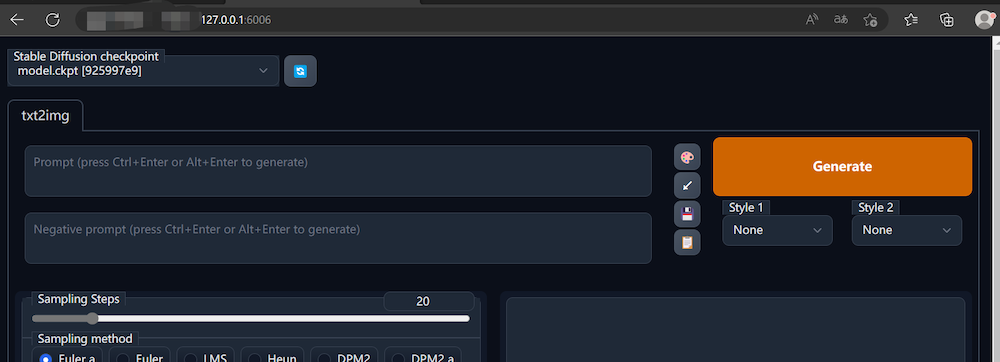
 Access the service by visiting [http://127.0.0.1:6006](http://127.0.0.1:6006) in your local web browser. Make sure that the port number `6006` matches the port used in the command `6006:127.0.0.1:6006`.
 ## Common Issues
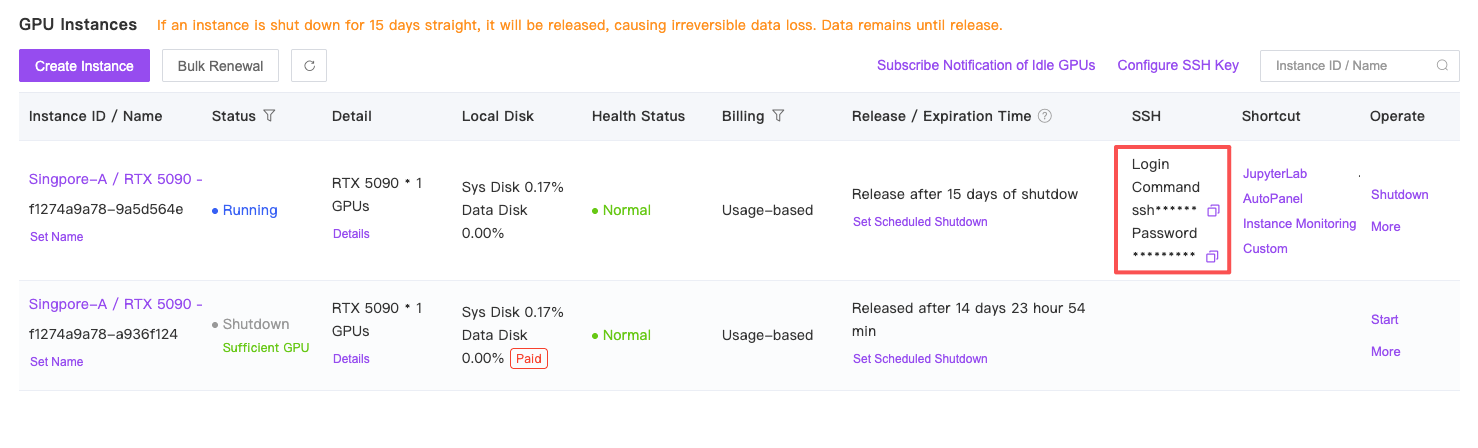
### Where to Obtain SSH Command?
## Common Issues
### Where to Obtain SSH Command?
 ### Errors when running SSH proxy on Windows?
There are generally two types of errors:
First type:
```
It is required that your private key files are NOT accessible by others.
This private key will be ignored.
Load key "C:\\Users\\Administrator/.ssh/id_rsa": bad permissions
```
* **Solution:** Change the permissions of the `C:\\Users\\Administrator/.ssh/id_rsa` file mentioned in the error message to read-only for the owner.
Second type:
```
Bad owner or permissions on C:\\Users\\Administrator\\.ssh\\config
```
* **Solution:** Remove the `C:\\Users\\Administrator\\.ssh\\config` file or change its permissions to be read-only for the owner.
### What do the parameters means?
Copy the SSH command in the following format: `ssh -p 48332 root@region-3.gpuhub.com`. In the command, the meanings of the parameters are as follows:
* Username: `root`
* Host: `region-3.gpuhub.com`
* Port Number: `48332`
The SSH tunnel command would be (assuming you want to forward port 6006 from the instance to your local machine):
`ssh -CNg -L 6006:127.0.0.1:6006 root@region-3.gpuhub.com -p 48332`
### Errors when running SSH proxy on Windows?
There are generally two types of errors:
First type:
```
It is required that your private key files are NOT accessible by others.
This private key will be ignored.
Load key "C:\\Users\\Administrator/.ssh/id_rsa": bad permissions
```
* **Solution:** Change the permissions of the `C:\\Users\\Administrator/.ssh/id_rsa` file mentioned in the error message to read-only for the owner.
Second type:
```
Bad owner or permissions on C:\\Users\\Administrator\\.ssh\\config
```
* **Solution:** Remove the `C:\\Users\\Administrator\\.ssh\\config` file or change its permissions to be read-only for the owner.
### What do the parameters means?
Copy the SSH command in the following format: `ssh -p 48332 root@region-3.gpuhub.com`. In the command, the meanings of the parameters are as follows:
* Username: `root`
* Host: `region-3.gpuhub.com`
* Port Number: `48332`
The SSH tunnel command would be (assuming you want to forward port 6006 from the instance to your local machine):
`ssh -CNg -L 6006:127.0.0.1:6006 root@region-3.gpuhub.com -p 48332`