> ## Documentation Index
> Fetch the complete documentation index at: https://docs.gpuhub.com/llms.txt
> Use this file to discover all available pages before exploring further.
# XShell
> XShell is a very powerful and convenient remote management software for Windows systems.
 ## XShell Installation
[]()
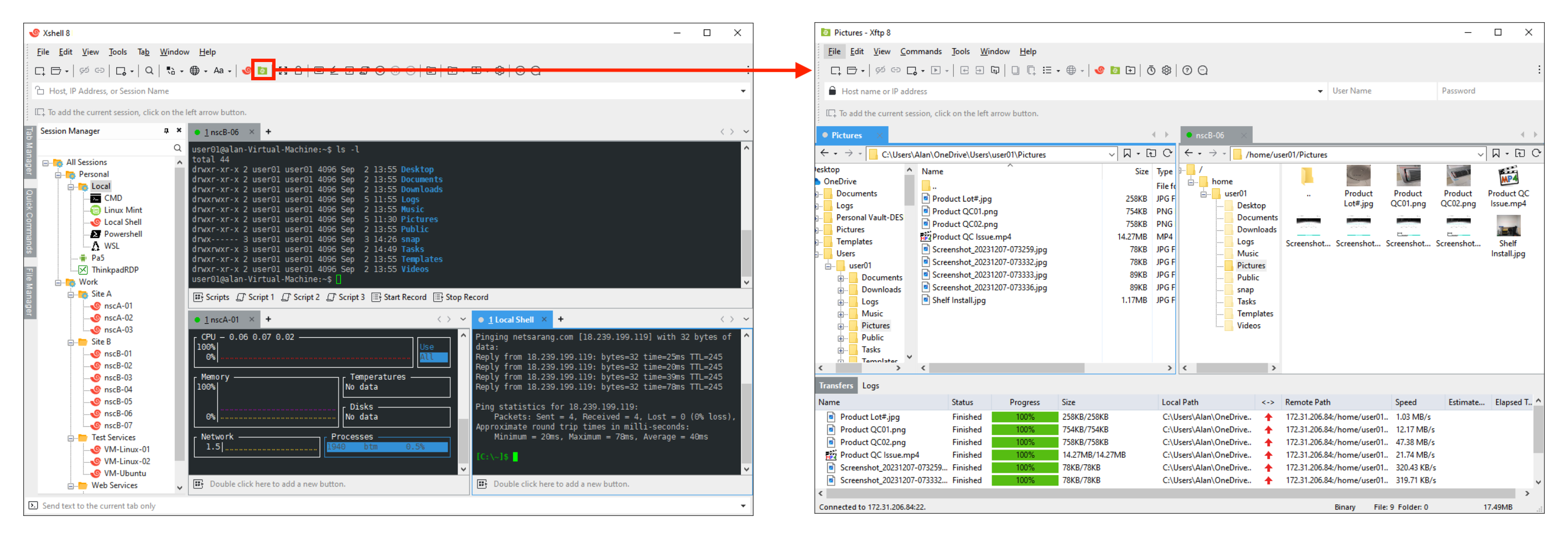
Both Xshell and Xftp need to be installed.
## Work with XShell
After starting the instance, find the SSH login command.
## XShell Installation
[]()
Both Xshell and Xftp need to be installed.
## Work with XShell
After starting the instance, find the SSH login command.
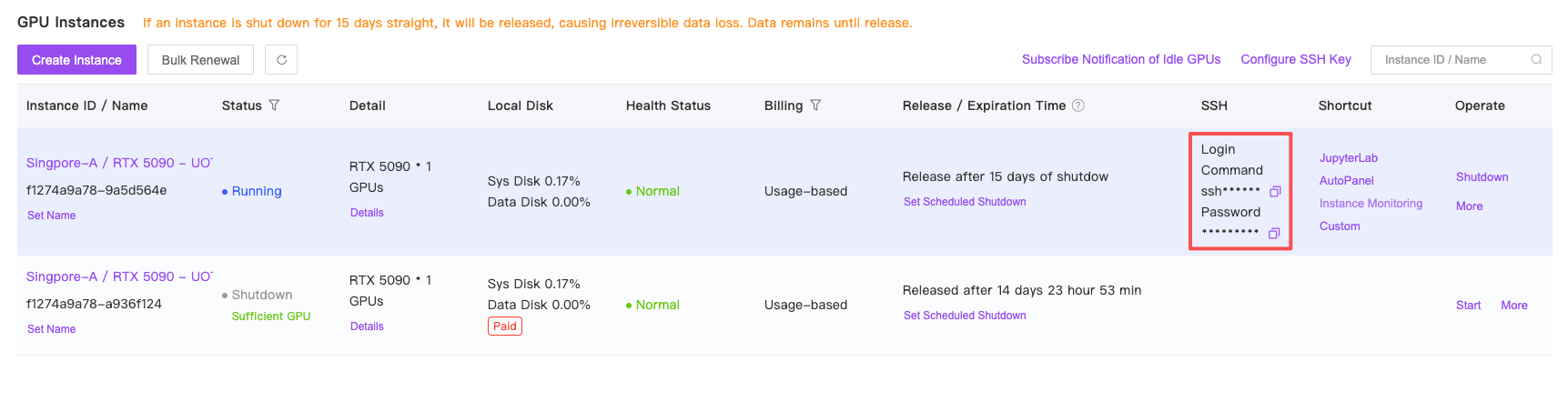 Please note that the port and other information in the SSH login command need to be replaced with the details corresponding to your instance.
Copy the login command as follows (please adjust to match your instance): `ssh -p 44562 root@region-1.gpuhub.com`.
Since XShell has a specific command format, you will need to manually modify the format to: `ssh root@region-1.gpuhub.com 44562`, which **places the port number at the end without the need for the `-p` parameter**.
For example:
Please note that the port and other information in the SSH login command need to be replaced with the details corresponding to your instance.
Copy the login command as follows (please adjust to match your instance): `ssh -p 44562 root@region-1.gpuhub.com`.
Since XShell has a specific command format, you will need to manually modify the format to: `ssh root@region-1.gpuhub.com 44562`, which **places the port number at the end without the need for the `-p` parameter**.
For example:
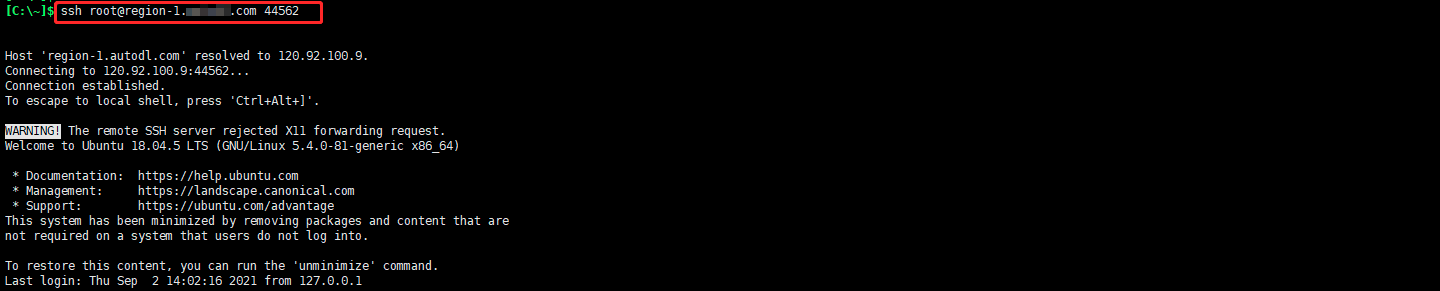 After entering the ssh command and pressing Enter, a window will pop up prompting you to enter your password.
## File Transfer with XShell
If you have already set up SSH login, you can use the xftp provided by XShell for file transfer in the following way:
After entering the ssh command and pressing Enter, a window will pop up prompting you to enter your password.
## File Transfer with XShell
If you have already set up SSH login, you can use the xftp provided by XShell for file transfer in the following way: