> ## Documentation Index
> Fetch the complete documentation index at: https://docs.gpuhub.com/llms.txt
> Use this file to discover all available pages before exploring further.
# Docker Image
> This document explains how to save, load, and share custom images on GPUhub, allowing users to replicate and reuse their configured environments across different instances.
GPUhub currently does not support importing custom images.
To reuse or save your configured environment for later, you can save it as an image. You can also share these images with others.
## Save Image
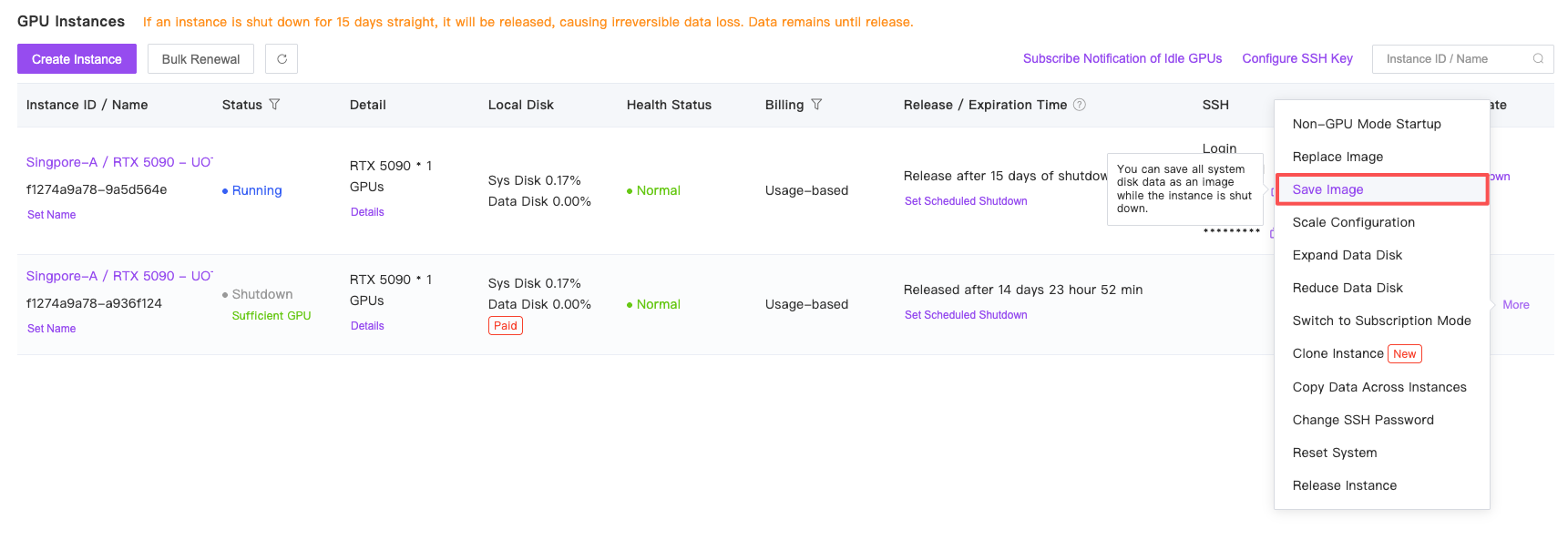
After shutting down an instance, you can save the entire system disk of that instance by clicking "Save Image" in the "More" menu. ([What system disk is?](/container-instance/overview))
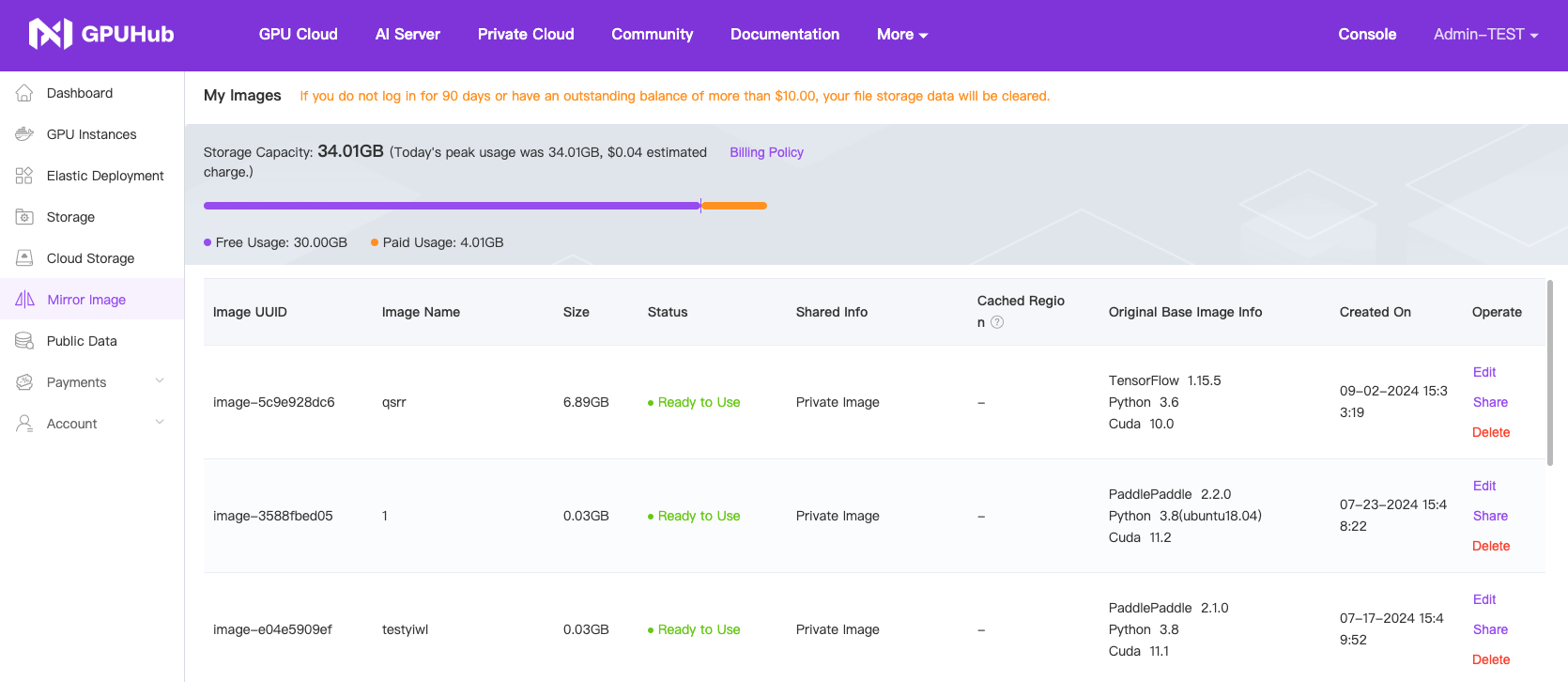
 View saved images in the "My Images" menu.
 ## Load Image
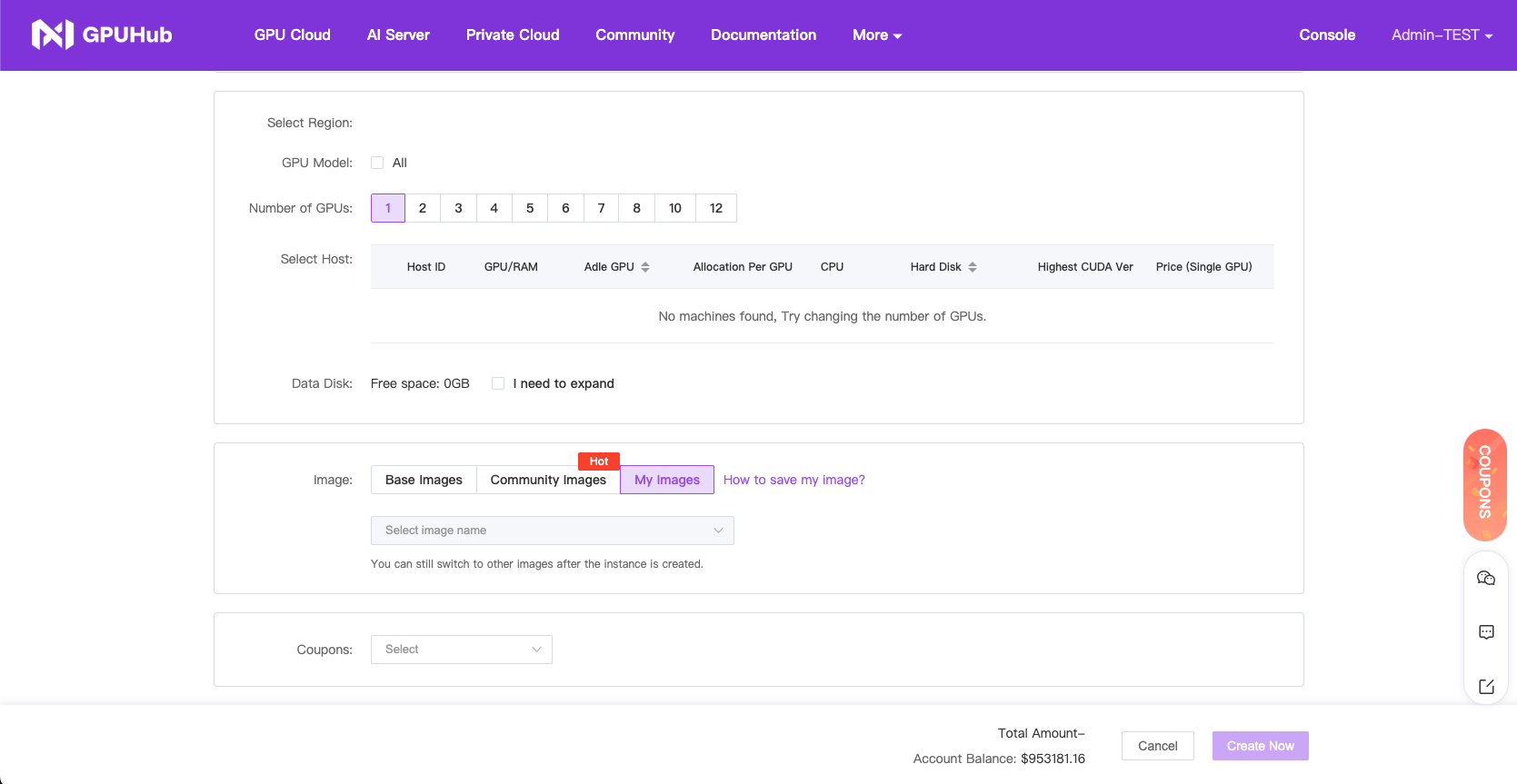
When creating a new instance or replacing the image of an existing instance, select the saved image you created to restore all the contents of the original instance's system disk.
## Load Image
When creating a new instance or replacing the image of an existing instance, select the saved image you created to restore all the contents of the original instance's system disk.
 ## Share Image
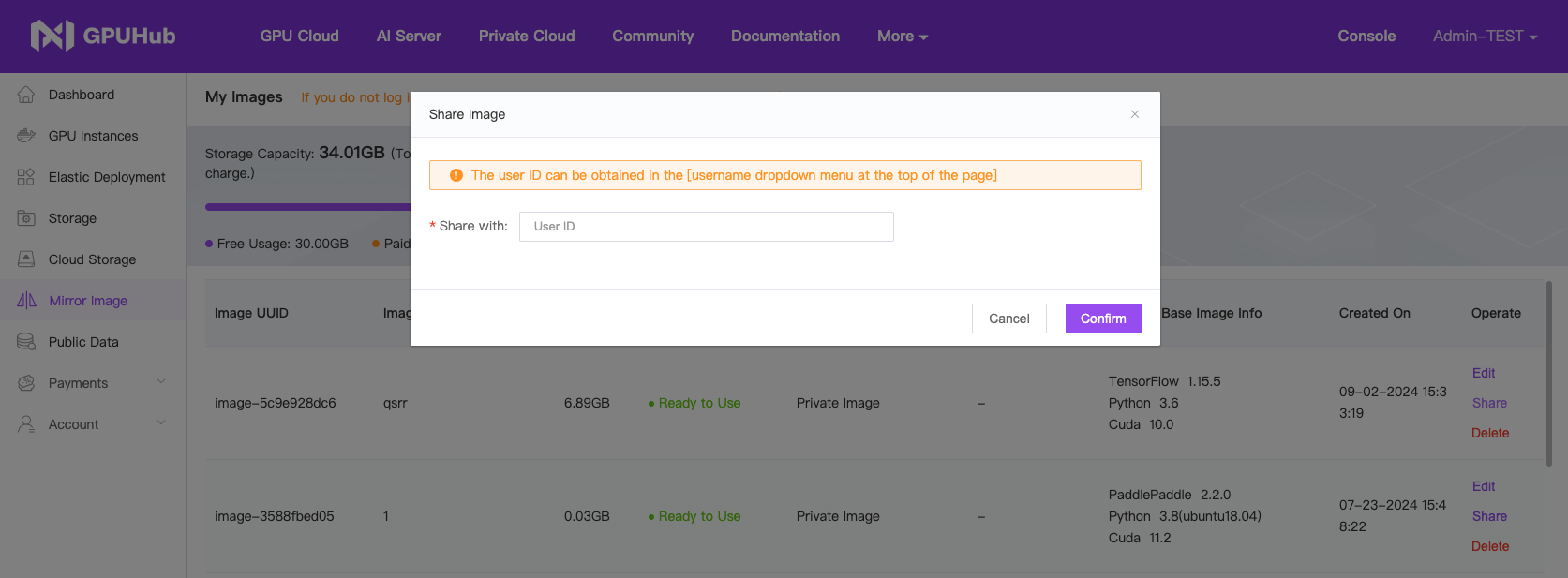
After saving an image, you can click "Share" in the actions menu to share it with specific users.
## Share Image
After saving an image, you can click "Share" in the actions menu to share it with specific users.