Documentation Index

Fetch the complete documentation index at: https://docs.gpuhub.com/llms.txt

Use this file to discover all available pages before exploring further.

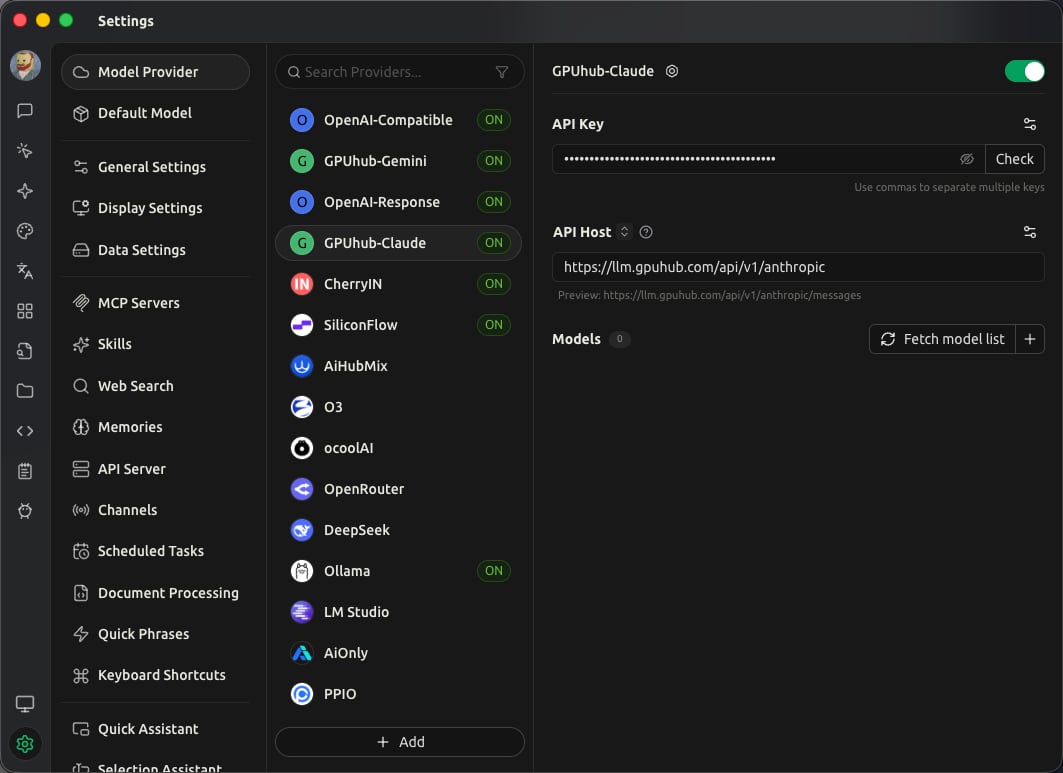
Cherry Studio can connect to AI Gateway through different provider types depending on the model family you want to use.
Create or copy your API key from the console before configuring Cherry Studio.

Claude-Series Models

Use the Anthropic-compatible provider for Claude-series models.
  1. Add a new provider in Cherry Studio.
  2. Choose the Anthropic-compatible provider type.
  3. Use the AI Gateway Anthropic-compatible endpoint.
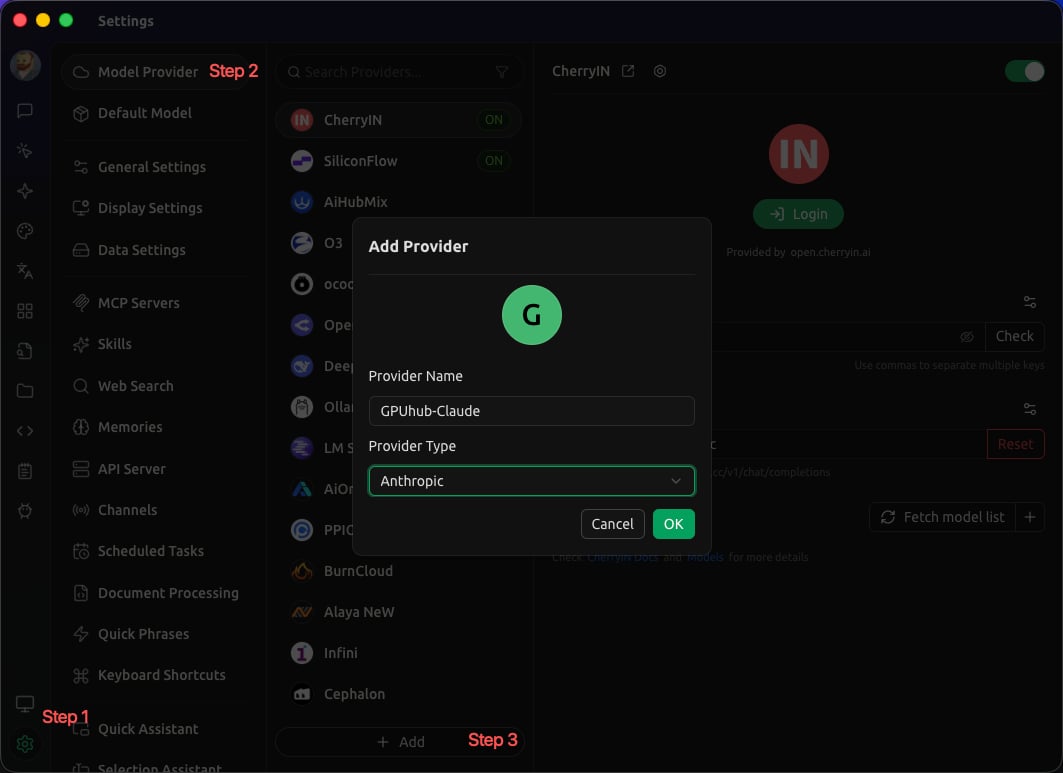
FieldValue
Provider typeAnthropic-compatible
API URLhttps://api.gpuhub.com/api/v1/anthropic/v1
API KeyYour AI Gateway API key
Model exampleclaude-sonnet-4-6

OpenAI Responses Models

For OpenAI-series models that use the Responses API, select the OpenAI Responses provider type when available.
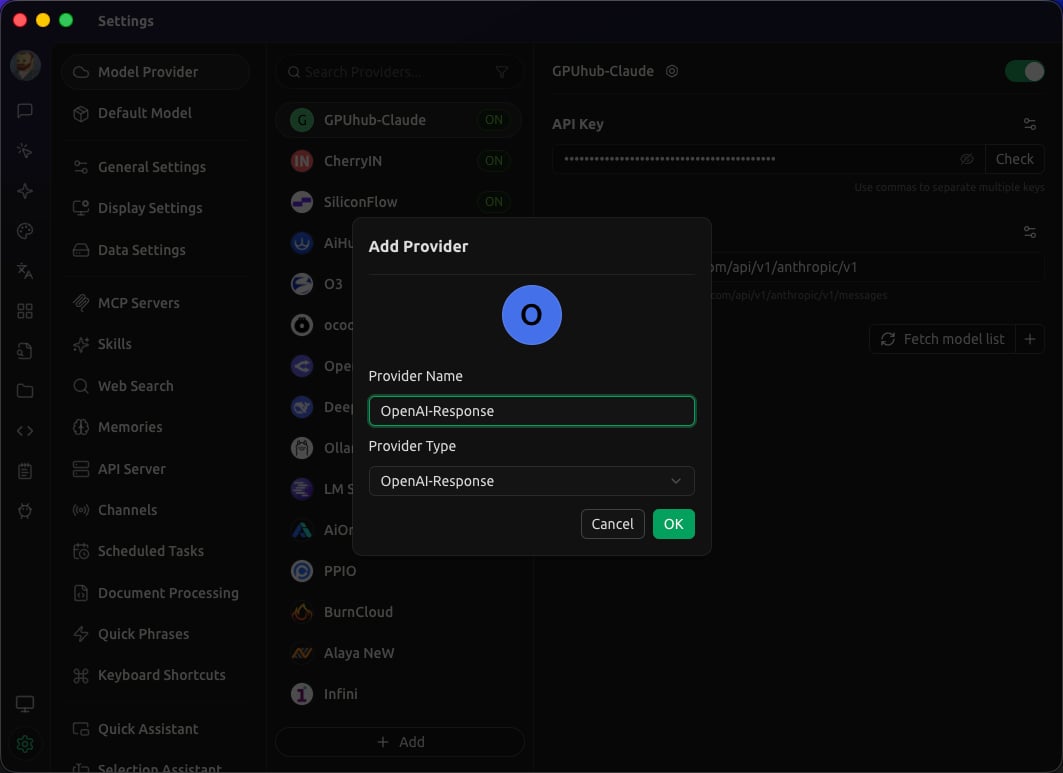
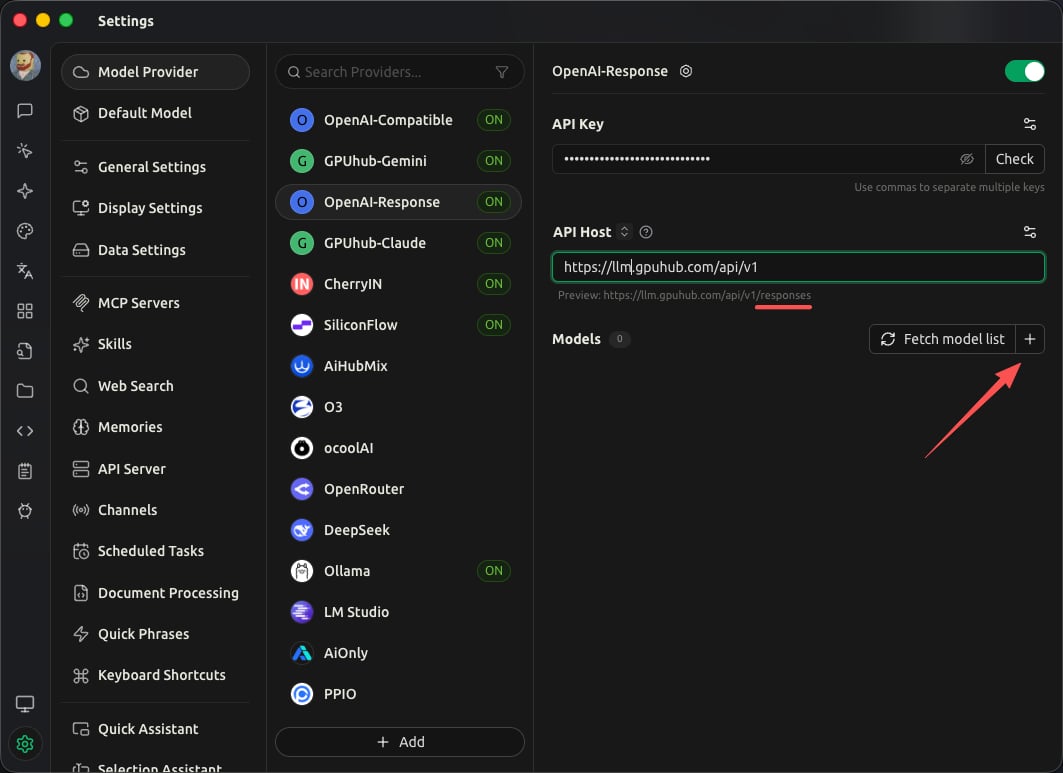
FieldValue
Provider typeOpenAI Responses
API URLhttps://api.gpuhub.com/api/v1
API KeyYour AI Gateway API key
Model examplesgpt-5.3-codex, gpt-5.4, gpt-5.5

Gemini-Series Models

Use the Gemini provider type for Gemini-compatible models.
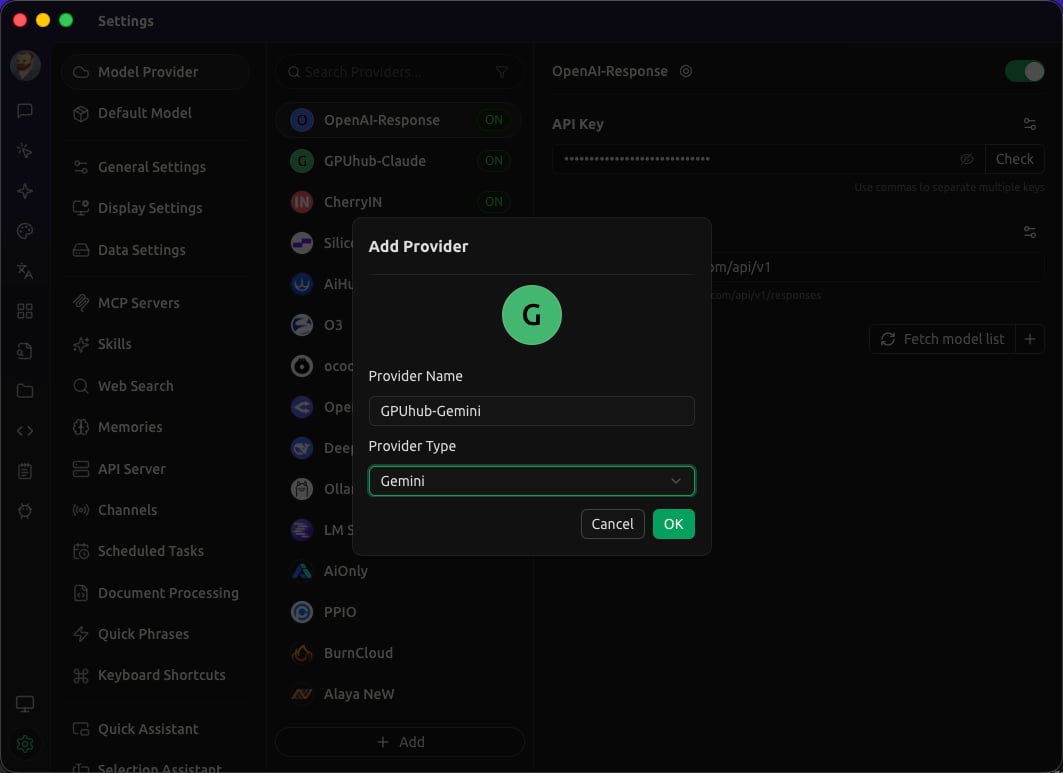
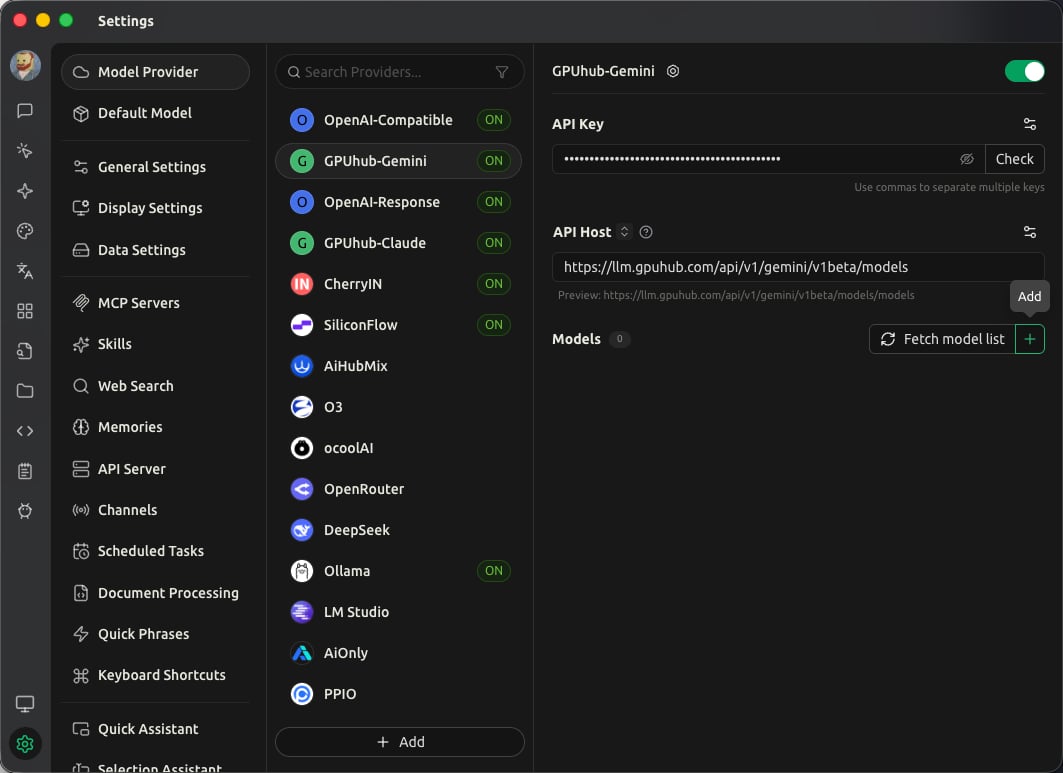
FieldValue
Provider typeGemini
API URLhttps://api.gpuhub.com/api/v1/gemini/v1beta
API KeyYour AI Gateway API key
Model examplegemini-3.1-pro-preview

OpenAI-Compatible Models

Use the OpenAI provider type for models that support the OpenAI Chat Completions interface, such as GLM, DeepSeek, MiniMax, and Qwen models.
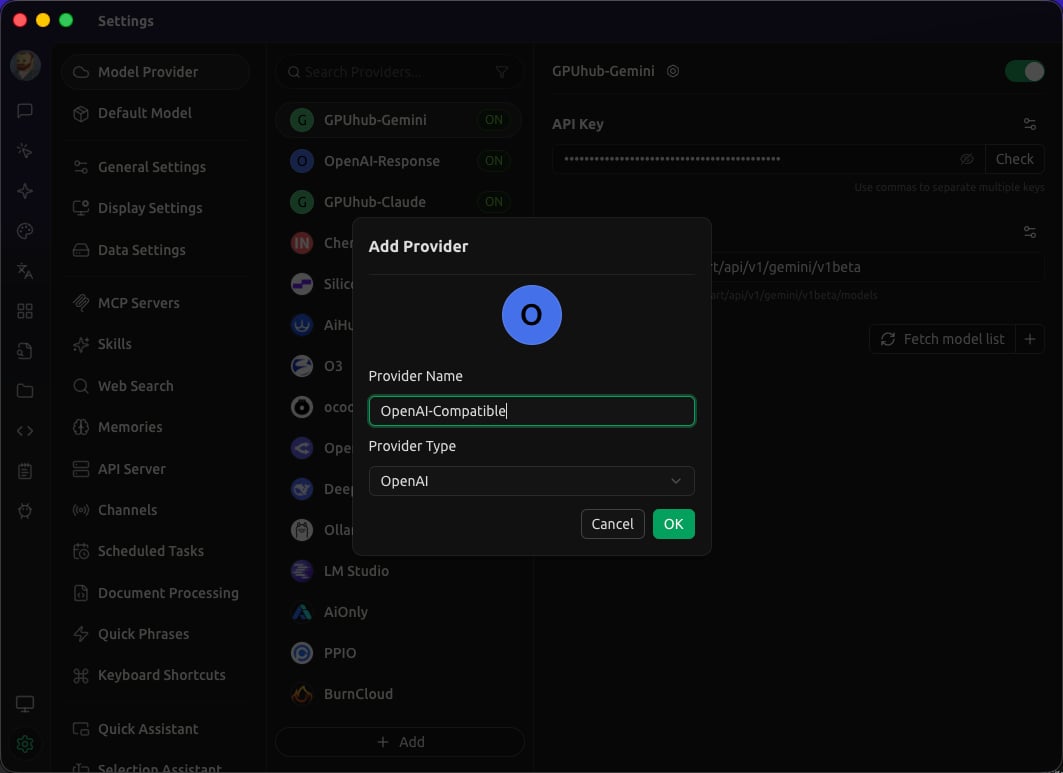
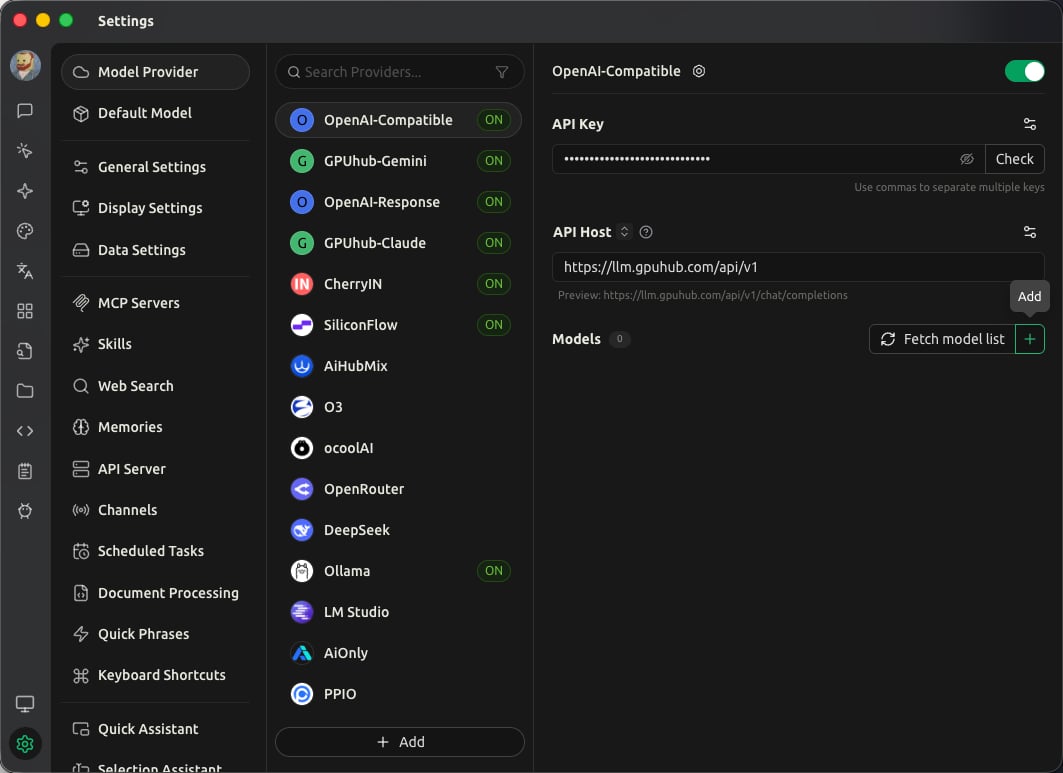
FieldValue
Provider typeOpenAI
API URLhttps://api.gpuhub.com/api/v1
API KeyYour AI Gateway API key
Model examplesGLM-5, DeepSeek-V3.2, MiniMax-M2.5, Qwen3.5-397B-A17B