
Documentation Index

Fetch the complete documentation index at: https://docs.gpuhub.com/llms.txt

Use this file to discover all available pages before exploring further.

Native Trae does not directly support external model providers. You can use external model APIs by installing the Roo Code extension and configuring AI Gateway as an OpenAI-compatible provider.

Install Roo Code

Open the Trae extension marketplace, search for Roo Code, and install the extension.

Configure the Model API

When selecting an API provider, choose OpenAI Compatible. If you want to use Claude-series models, still choose OpenAI Compatible and use the OpenAI-compatible endpoint provided by AI Gateway.
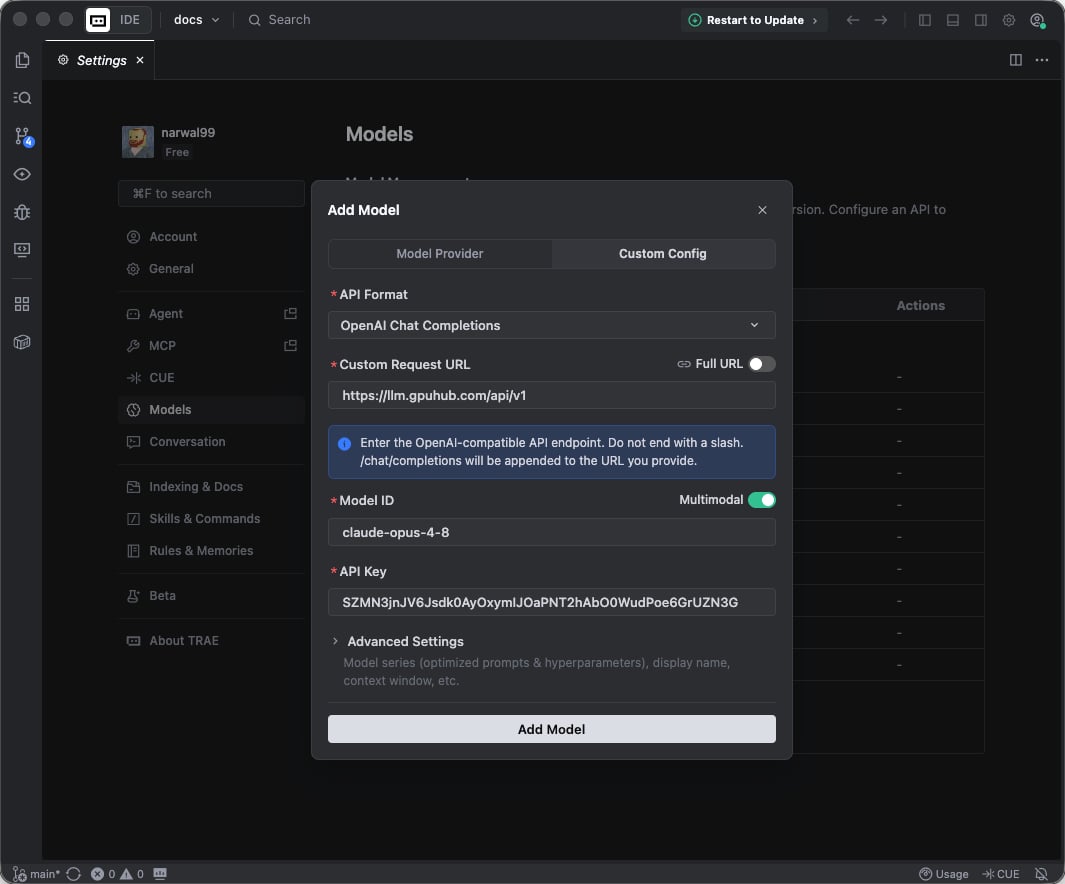
FieldValue
API ProviderOpenAI Compatible
Base URLhttps://api.gpuhub.com/api/v1
API KeyYour AI Gateway API key
ModelThe target model name, such as GLM-5 or claude-sonnet-4-6

Context Length

If requests fail because of context length settings, adjust the context length in the extension configuration to match the selected model.