
Documentation Index

Fetch the complete documentation index at: https://docs.gpuhub.com/llms.txt

Use this file to discover all available pages before exploring further.

Cursor can call AI Gateway models through a custom OpenAI-compatible provider. Cursor Free may only support Auto mode; use Cursor Pro or a higher plan if custom model providers are required.
Cursor may fuzzy-match custom model names against built-in model names. If a custom model name overlaps with a built-in model name, Cursor may route the request to its own provider instead of AI Gateway.

Configure a Custom Model

Use the following values when adding a custom provider or model in Cursor.
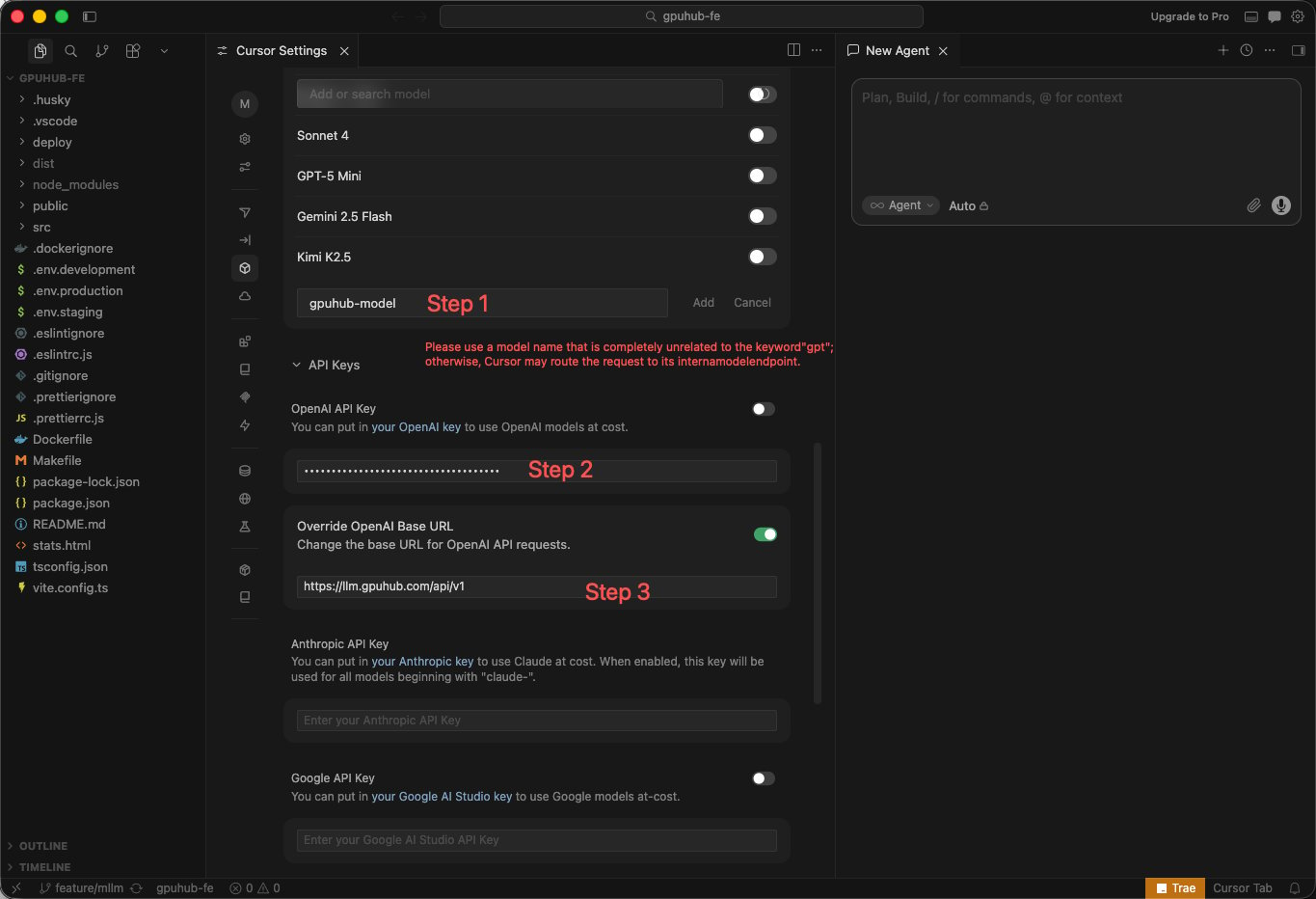
FieldValue
API KeyYour AI Gateway API key
Base URLhttps://api.gpuhub.com/api/v1
Model nameA custom alias such as gpuhub-model

Avoid Built-In Model Name Matching

If you want to use a model such as gpt-5.4, avoid naming the Cursor custom model gpt-5.4 directly. Use an unrelated alias such as gpuhub-model, then map that alias to the target model in the AI Gateway model settings.
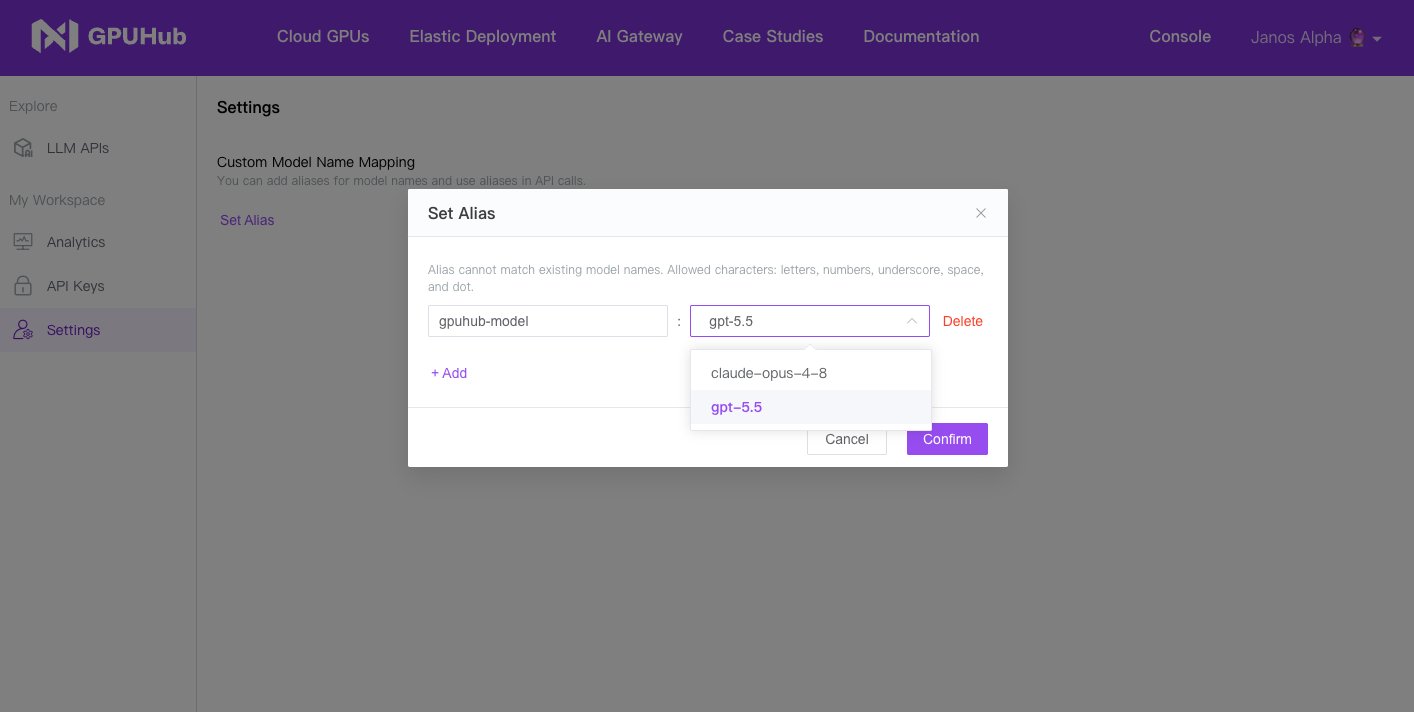
  1. Create a custom model alias in Cursor, such as gpuhub-model.
  2. Set the Base URL to https://api.gpuhub.com/api/v1.
  3. Enter your API key.
  4. Map gpuhub-model to the target AI Gateway model in the console.
  5. Select gpuhub-model in Cursor when starting a chat or coding task.