

Key Features
Centralized Account Management
The primary account can create and manage sub-accounts from the console.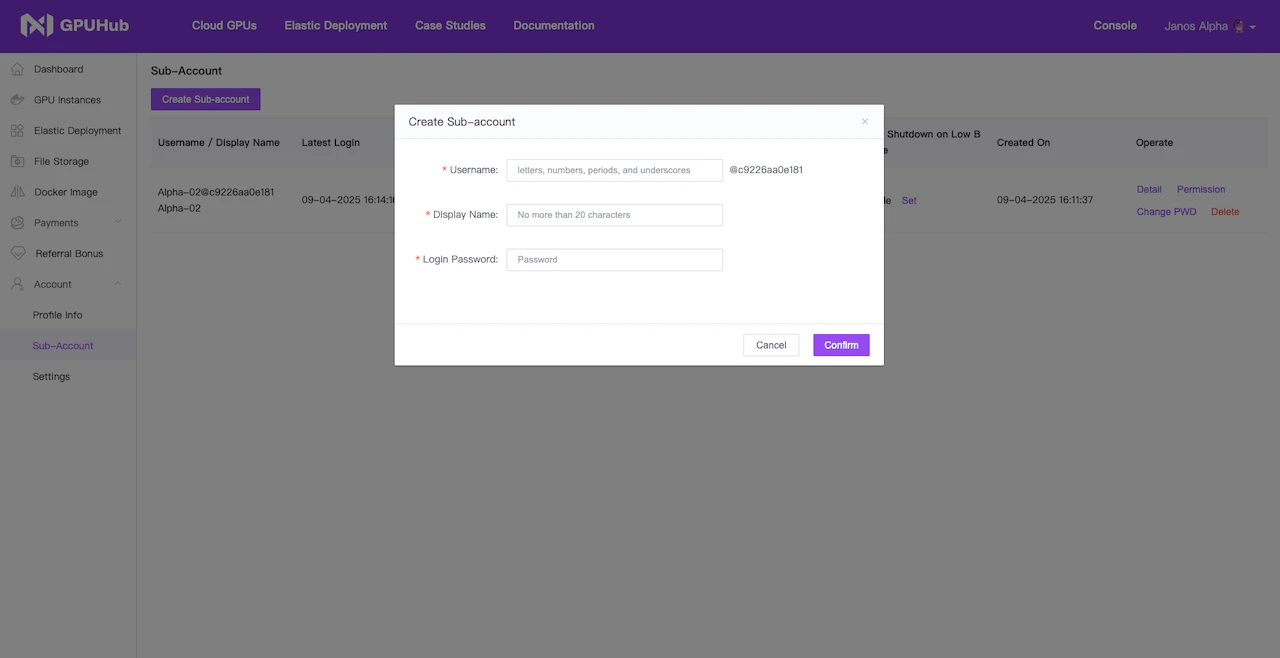
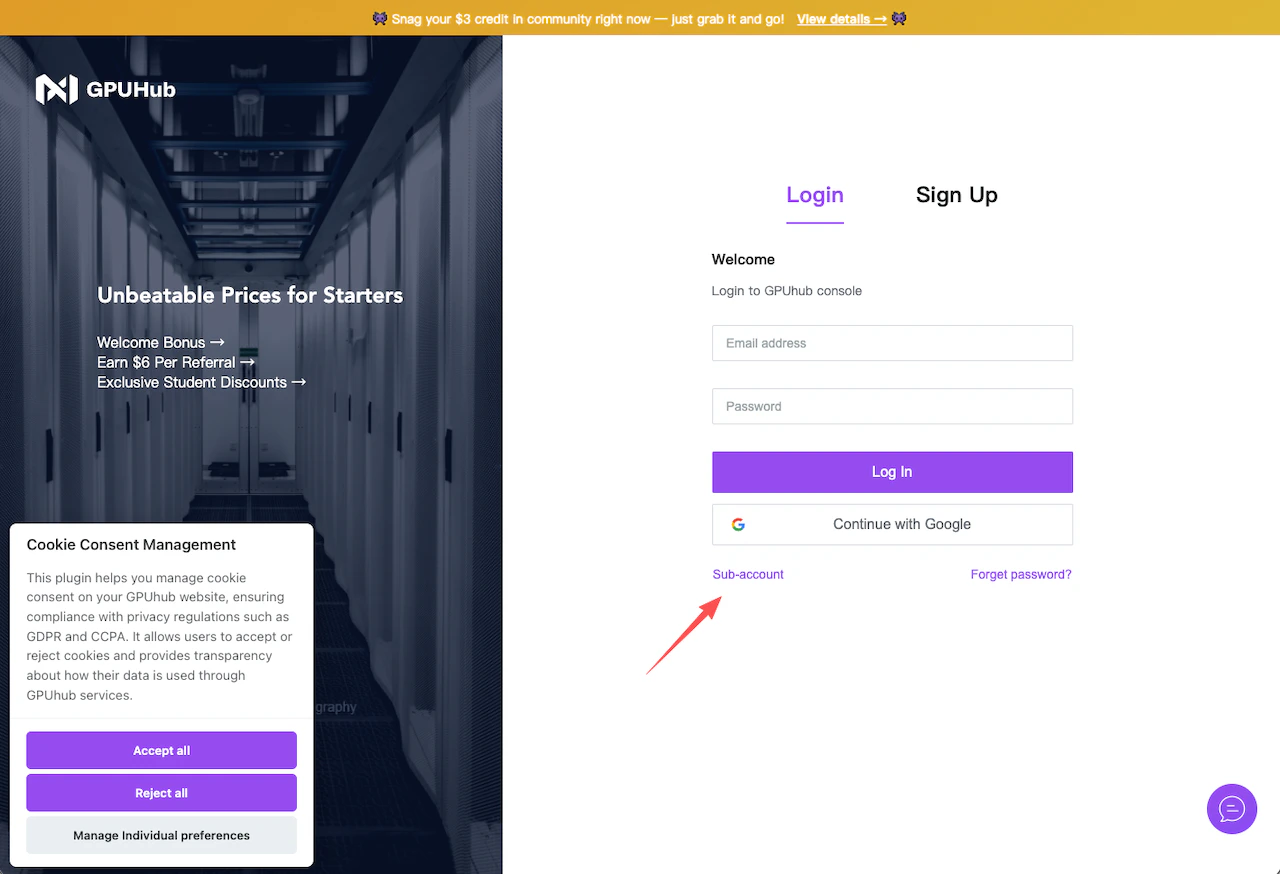
Permission Management
The primary account can configure what each sub-account is allowed to access.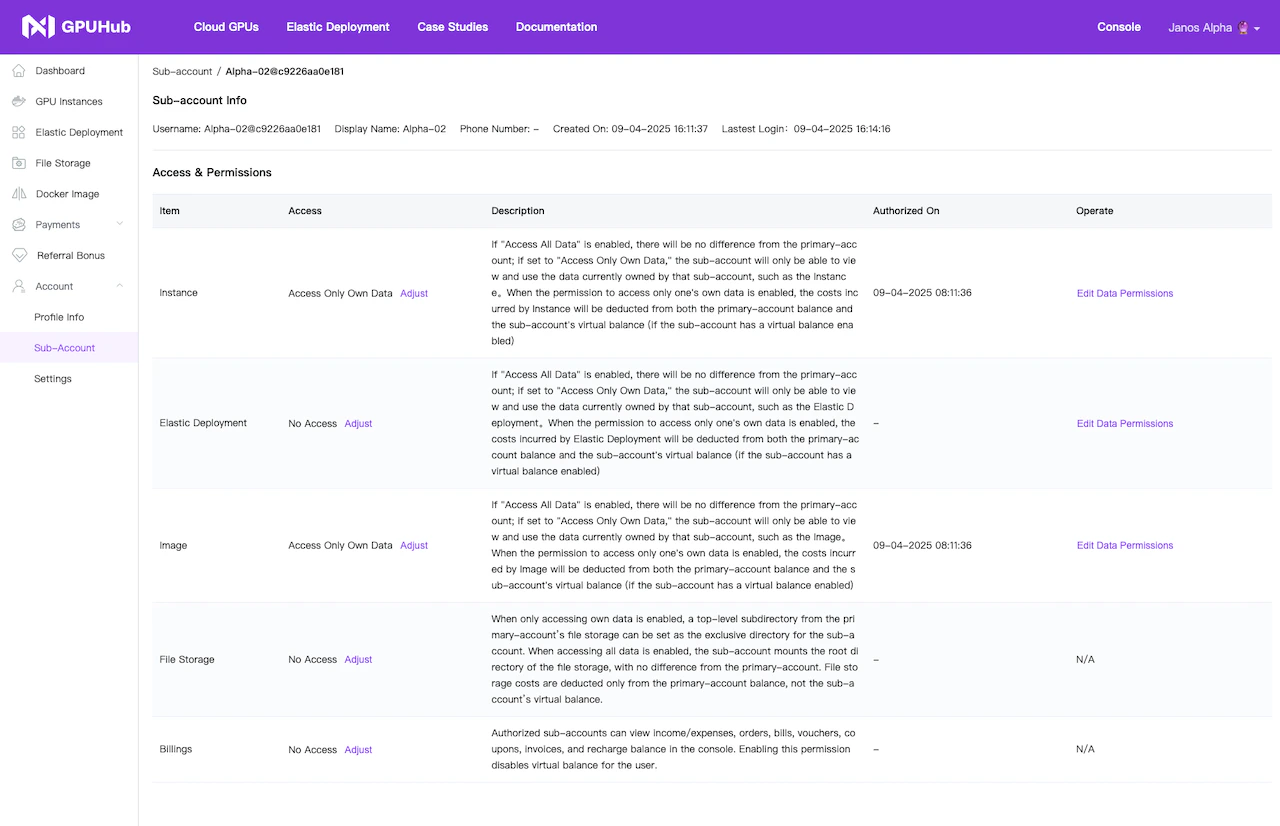
- GPU Instances
- Docker Images
- File Storage
- Billing and invoices
- Account balance usage
- Other account-level resources
Shared Balance or Assigned Budget
The primary account can decide whether a sub-account can use the primary account balance. If balance sharing is enabled, the sub-account can create and use GPU instances based on the primary account’s available balance. If balance sharing is disabled, the primary account can assign a separate budget or virtual balance to the sub-account. This is useful when you want to control how much each team member or student can spend.Spending Control
Sub-accounts can be configured with spending limits. This is useful for:- Research groups
- Student accounts
- Internal teams
- Temporary projects
- Classroom or workshop usage
Resource Visibility
The primary account can manage which resources are visible or accessible to each sub-account. For example, a sub-account may be allowed to use a specific saved image, create instances, or access shared File Storage, while billing and account management permissions remain restricted.Billing Management
Billing is centrally managed by the primary account. Depending on permissions, sub-accounts may or may not be able to view billing records, recharge the account, or manage invoices. This allows organizations to keep financial operations under the primary account while still allowing team members to use GPU resources independently. Data and Resource Safety Removing a sub-account does not automatically delete instances, images, storage, or other resources created under the organization. After a sub-account is removed, its related resources remain under the primary account unless manually released or deleted by an authorized user.Common Use Cases
Research Teams
A lab owner or project lead can create sub-accounts for researchers and allocate budgets based on project needs. Classrooms and Training Programs Teachers or administrators can create sub-accounts for students, assign limited budgets, and control access to GPU instances. Company Teams A company can allow multiple team members to create and use GPU instances while keeping billing and financial control centralized. Temporary Projects The primary account can create sub-accounts for short-term projects and revoke access after the project ends, without losing the underlying resources.Recommended Setup
For most teams, we recommend the following setup:- Enable sub-accounts for team members
- Assign a budget to each sub-account
- Restrict billing permissions to the primary account
- Allow access only to required instances, images, and storage
- Review usage regularly from the primary account