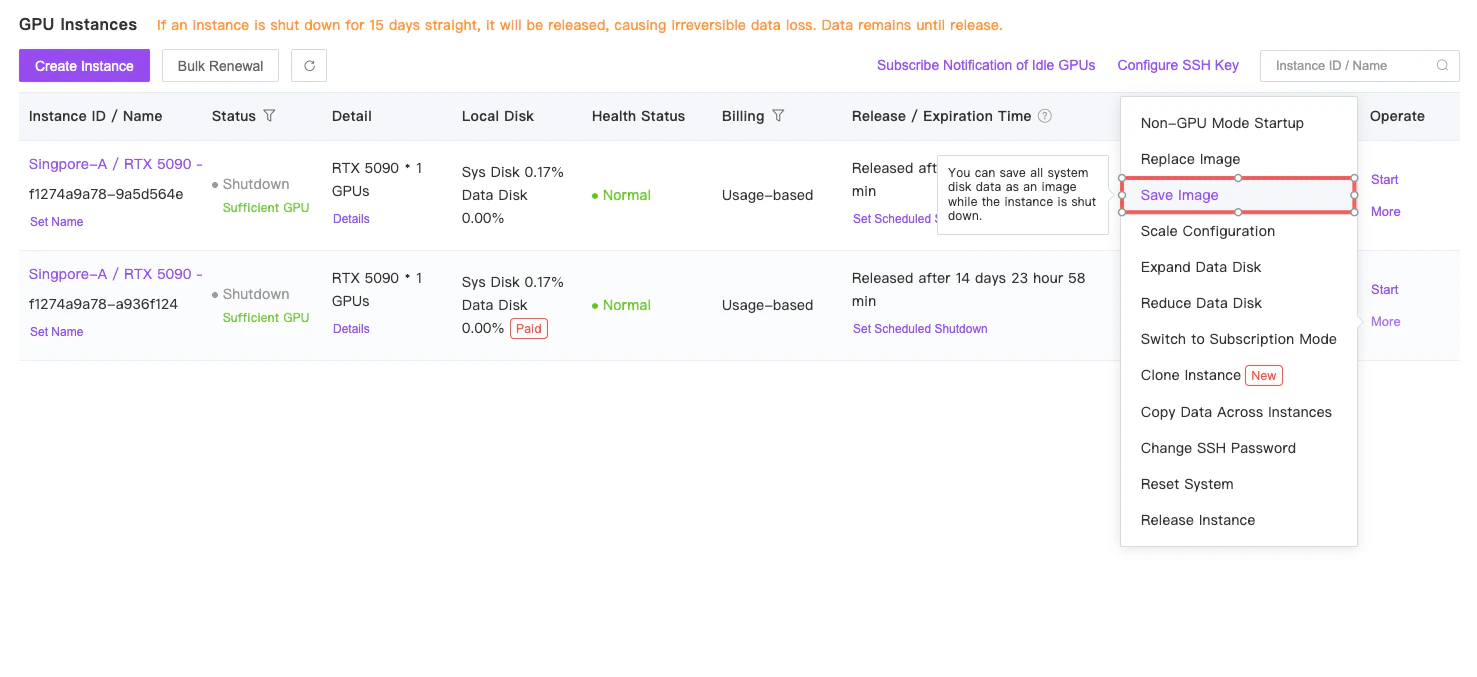
Support saving the system disk (i.e., system environment) of container instances as an image for use by other instances, avoiding the need to reconfigure the system environment repeatedly.
Regarding custom images, GPUHub does not currently support directly pulling and deploying custom Docker images from third-party registries.
The recommended workflow is:
Create an instance using one of the provided base images and configure your environment within GPUHub.
Save the configured environment as a custom image under your account for future reuse.
Once the image is successfully saved, you will receive an Image ID. This Image ID can be shared with and authorized for use by other GPUHub accounts.
The Image ID can also be used when creating Elastic Deployments, allowing you to launch instances with your preconfigured environment automatically.
This approach ensures consistent environments across instances and deployments while avoiding the need to repeatedly configure dependencies and software.