Accounts registered with temporary or disposable emails for the purpose of obtaining vouchers/discounts will be immediately and permanently banned without warning.
Coupons - Discount Coupons
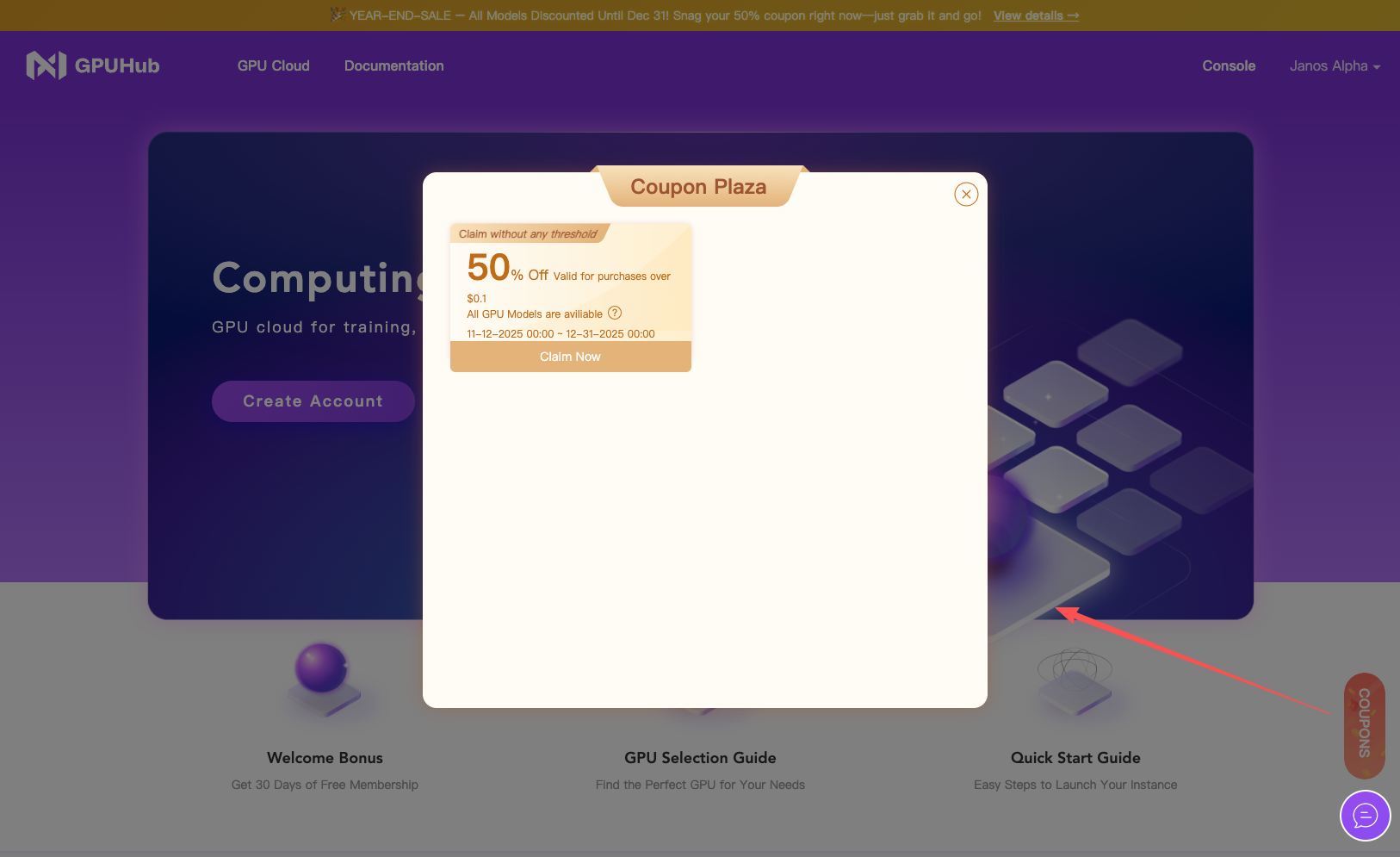
Claiming
- You have to logged in on GPUhub Console first.
- The entry point is on the right side of the homepage → Claim Coupons.
- applicable to all products,
- available in certain regions,
- and available for certain products.
Coupon Usage Rules
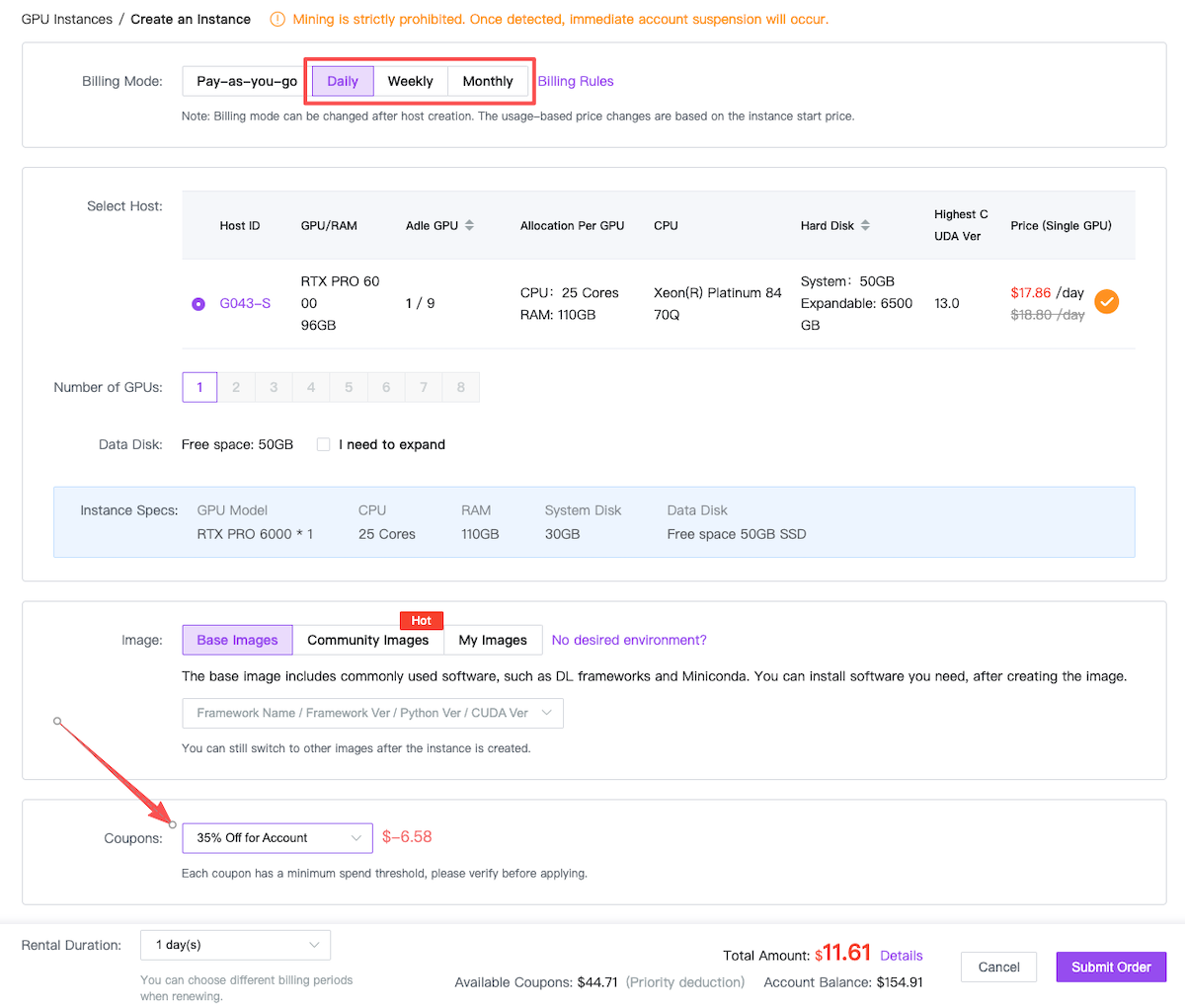
- All discount coupons apply only to one-time subscription orders (daily, weekly, or monthly) and are not valid for Pay-As-You-Go (PAYG) usage.
- Coupons do not apply to automatic renewals. However, users may purchase subscriptions covering multiple days, weeks, or months within a single one-time order.
- Each coupon has its own daily discount (Usually USD10-30, regardless of single or multi-GPU usage.) cap and maximum discount duration (measured in days). The discount will stop applying once either limit is reached.
Eligible Billing Modes
-
Coupons can be used only with subscription plans, including:
- New subscription purchases
- Switching from PAYG to Subscription mode
- Manual renewal via a new one-time subscription order
- If you are currently on PAYG mode, you may switch to Subscription mode to apply a coupon, and switch back to PAYG before the subscription period ends.
Vouchers - Credit Vouchers
- Vouchers have specific denominations
- Vouchers can be used to offset charges on eligible service bills.
- During both pay-as-you-go usage and subscription billing, voucher balances will be applied with priority where applicable.
Referral Bonus
Referral bonus are issued to users who refer new users to GPUhub. The new users can use the vouchers to offset the amount on their service bills.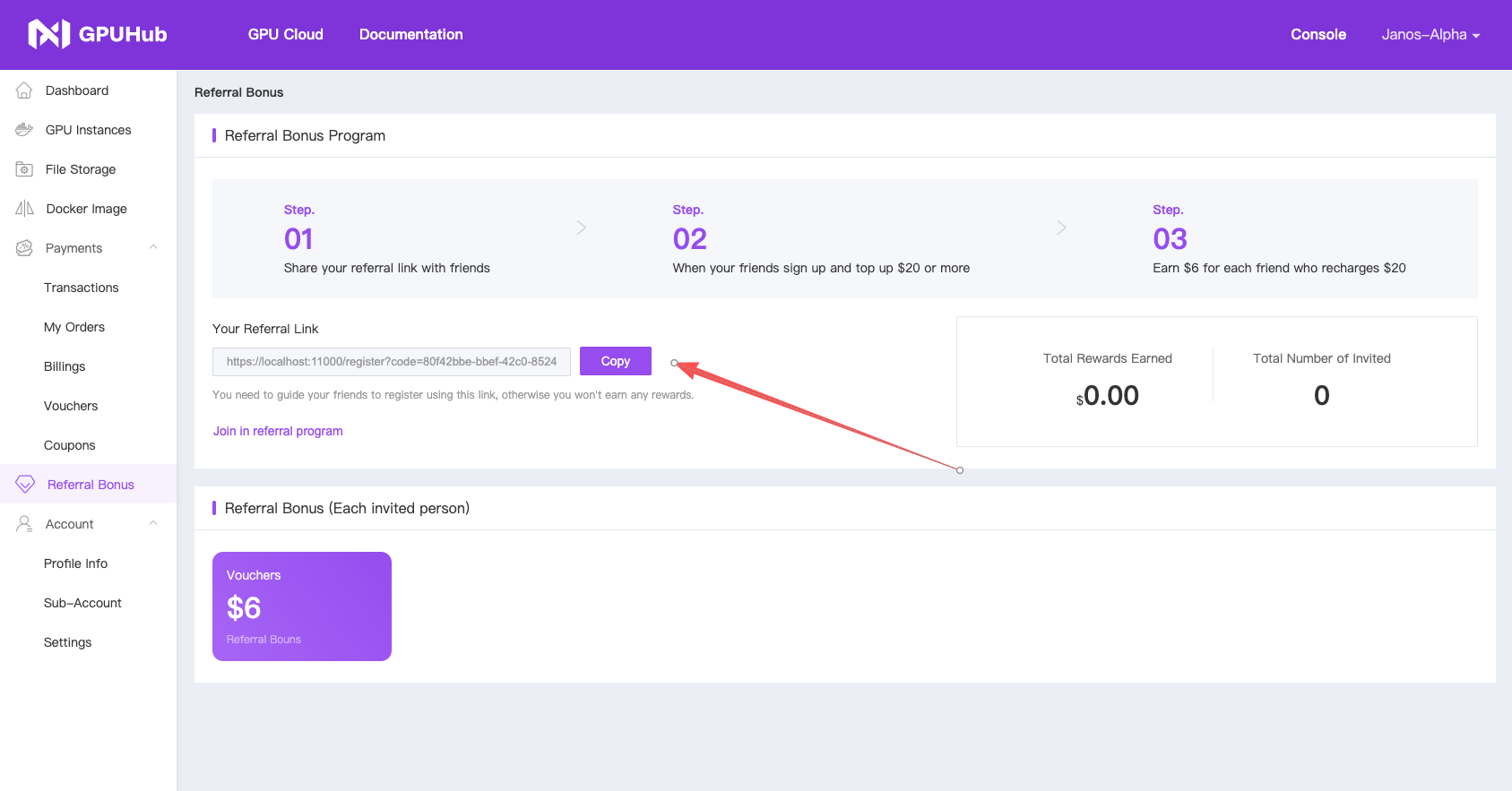
1
Copy Your Unique Referral Link
Go to the “Your Referral Link” section and click the purple Copy button (or manually copy the full URL that contains your personal referral code).
2
Share the Link with Your Friends
Share the link to your friends via WhatsApp, Telegram, WeChat, Discord, SMS, email, or any other platform. ⚠️ They must register using your exact link; otherwise, the referral will not be tracked and you will not receive any reward.
3
Your Friend Completes the Requirement
Signs up through your link, makes their first deposit of $20 or more (or equivalent in other currencies)
4
You Get Rewarded Instantly
Once the above conditions are met, you will automatically receive $6 (issued as a Voucher/Bonus) for that referral.
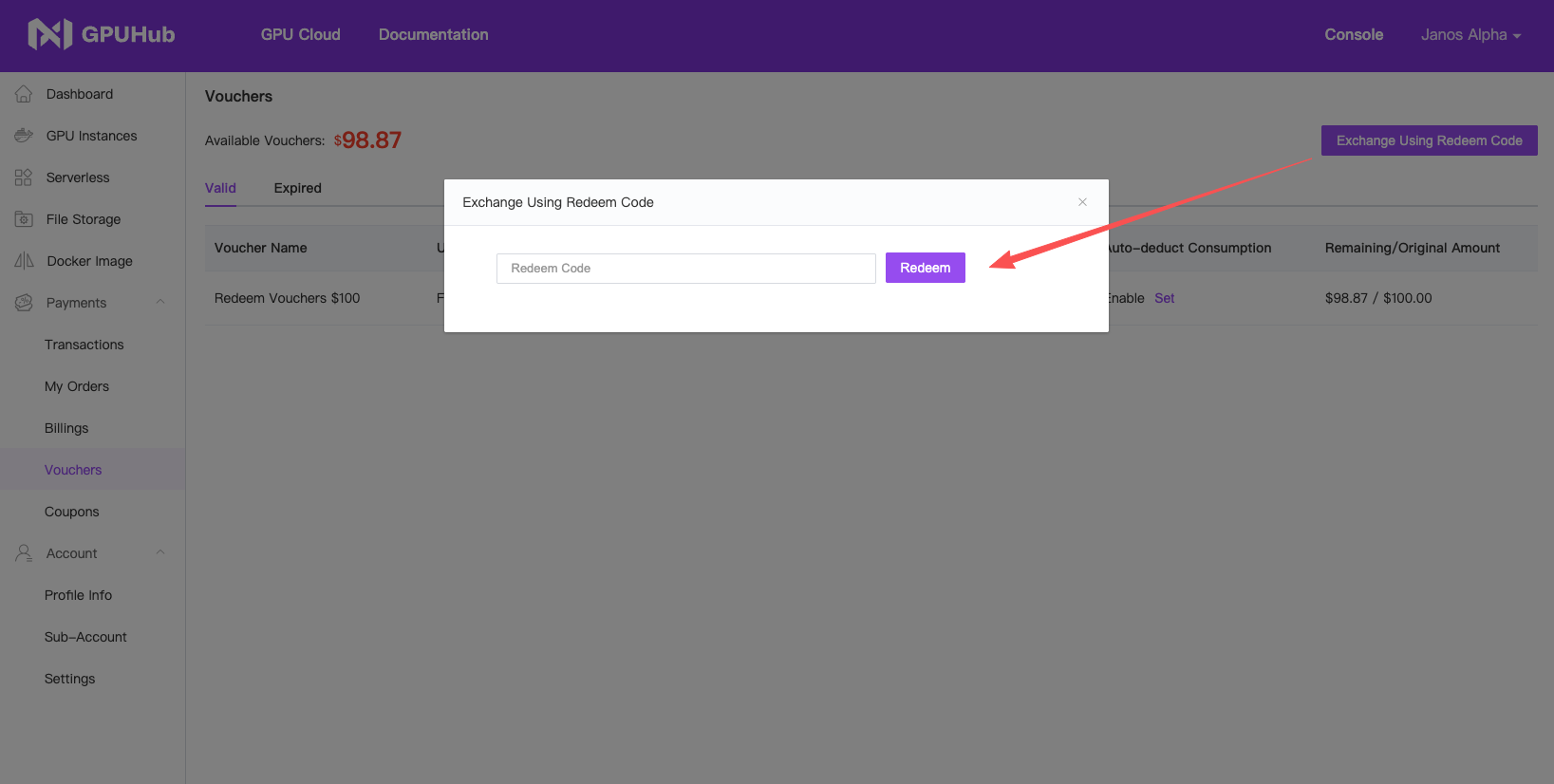
Redeem Vouchers
If you’re lucky enough to grab one of our redeem codes, please redeem it immediately in the Payments section of the console.